
Verify the download source
Check the domain and installation guidance first. Avoid untrusted installers shared in messages.
Read the guideDiscover a clearer way to approach digital assets, wallet credentials and transaction checks. Own the decisions behind every move.
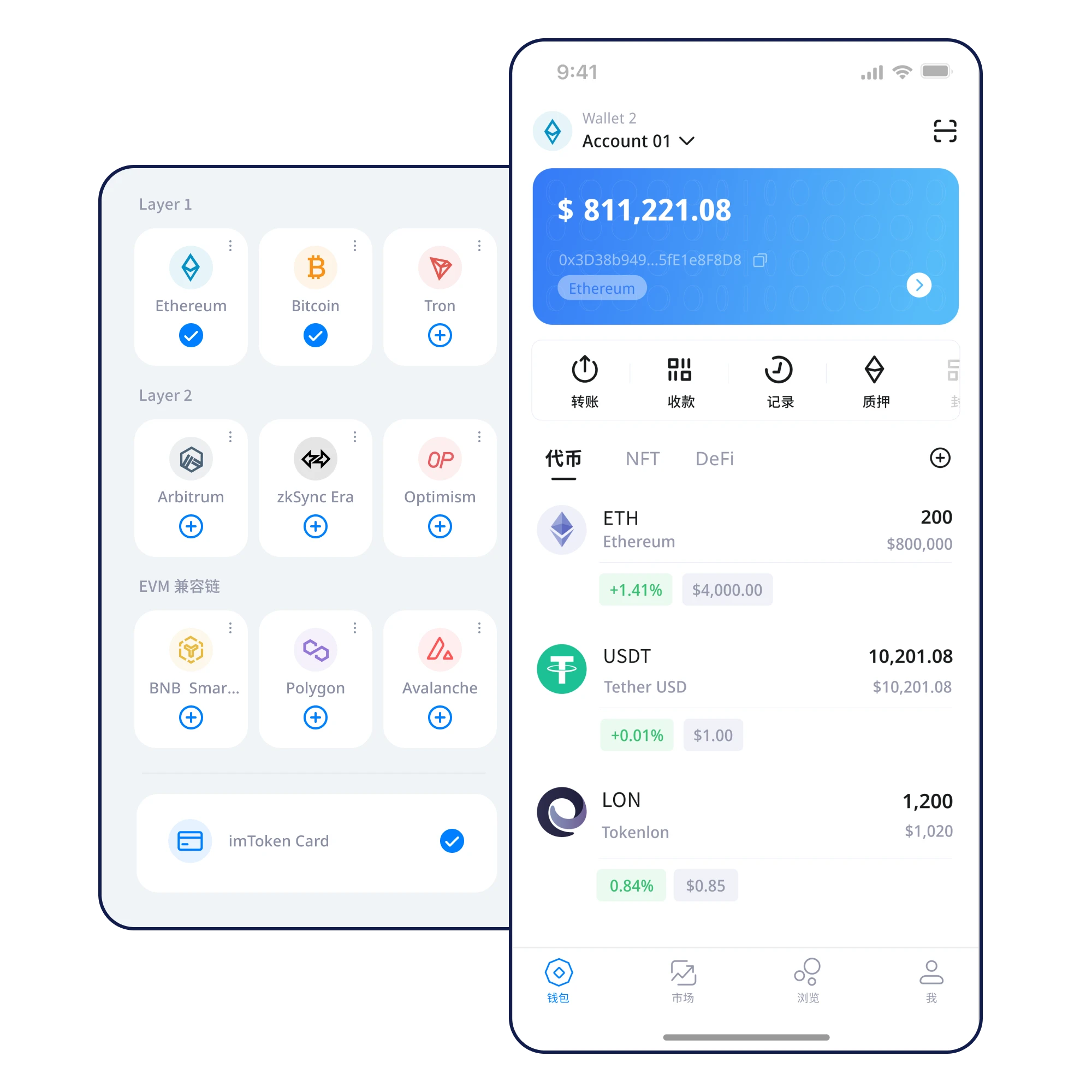
Total assets · preview
$12,480.00Illustrative figures only. Not real balances or live market data.
Total assets · preview
$12,480.00Illustrative figures only. Not real balances or live market data.
BTC, ETH and USDT in this preview are examples. Chain selection, address formats and fees matter as much as the token name.
Manage Assets Across NetworksCheck the domain and installation guidance first. Avoid untrusted installers shared in messages.
Read the guideUse a trusted device, choose create or import correctly and protect local access.
Read the guideWrite every word in sequence offline, without screenshots, email or messaging apps.
Read the guideCheck spelling and word order, store it privately and never disclose the phrase.
Read the guideCheck token networks and addresses before comparing balances across different chains.
Read the guideConfirm the network, recipient, amount and any approval. Reject requests you do not understand.
Read the guideCredentials do not belong in web forms or support chats. Learn how custody and verification fit together.
Local Key Management
An offline recovery backup helps you prepare for device changes. Check it before you need it.
Move Your Wallet to a New Device
Check chain, destination, approval scope and amount. Pause whenever a request is unclear.
Review Network and Address Before Sending
Keep recovery materials and device access under your control.
Match every signature to the intended network, recipient and amount.
Prepare an offline backup and use trusted recovery paths.
Find the next practical check, from setup through safe everyday use.
Learn the difference between creating and importing a wallet, verify the installation source, secure access and protect your recovery phrase.
Explore scenarioUnderstand token networks, balance views and chain explorers without confusing assets on different chains.
Explore scenarioUse a consistent pre-send checklist covering the destination chain, address, token, amount, fees and approval requests.
Explore scenarioCheck your old device, prepare the new one, verify recovery and retire old access carefully.
Explore scenarioSpot lookalike download pages, malicious approvals and impersonated support before connecting your wallet.
Explore scenarioSelf-custody means you are responsible for safeguarding wallet credentials. Verify any specific product claims independently, and never share recovery words.
Checking current chain data and broadcasting transactions usually requires connectivity. Backups should be kept offline.
Write them down offline, verify their order and avoid screenshots, cloud drives, chats and web forms.
A private key controls an address. A recovery phrase can restore a set of wallet keys. An app password protects local access.
NEXT STEP
Review the installation source, protect your recovery phrase and take control of your next steps.
⬇ Download NowDesktop download: under maintenance. Mobile link opens the information page.